
Product
Everything you need to run a service job, from start to finish
A service call moves through your entire organization: customer service, dispatch, technicians, parts, billing and management. OnDispatch keeps every step connected to the same service record.
One job. One connected workflow.
From the service request to the final payment, every department works from the same service record.
- RequestCustomer and job
- ScheduleRight technician
- VisitWork performed
- PartsOrder and return
- CompletionJob closed
- InvoiceClient billed
- PayoutTechnician paid
Connected throughout: SLA tracking Email Client portal Compliance Reporting Recruiting AI surveys
Take the call
Every service call. One complete record.
Every service request becomes a single connected record containing the customer, equipment, problem, appointments, client contract, SLA, parts, work orders, communications and complete service history.
OnDispatch refers to the service record internally as a ticket.
- The full history. Notes, phone calls, status changes, visits and who did each of them, in order.
- Work that arrives by itself. Service calls can come in from a warranty dispatch network as well as being keyed in by your office.
- Folders and statuses that match how you work. Each team sees the service calls that are waiting for it.
- Recalls done properly. A return visit is linked to the original service call, so you can see what was done the first time.
- Team chat for your office staff, with channels and attachments.
Keep customer and client email connected to the service call
Connect the mailboxes your company already uses and manage email alongside the service record, without switching between systems.
- Bring your own mailboxes. Your mail server, Google Workspace or Microsoft 365; OnDispatch never creates or owns your addresses.
- Department inboxes and personal ones. Service, parts and billing share theirs; each agent connects the account they already use.
- Messages linked to service calls, kept in your country’s own storage.
Schedule and dispatch
The right technician, in the right zone, on the right day
Match each service call to an employee technician or subcontractor based on service area, availability and working hours, then manage every visit from the same service record.
- Availability by zone and calendar. Each technician's working days, hours and the areas they cover.
- As many visits as the job needs. Diagnose, wait for the part, come back: every visit is a work order on the same service call.
- Reschedule, cancel and reopen without losing the trail.
- Own staff and subcontractors together. One board for both.
- Schedule with confidence. While you pick the slot, OnDispatch flags a first-visit SLA at risk, shows the technician’s day with the new stop, checks the daily drive limit leg by leg and warns when the stop breaks the route.
- Alternative technicians near the address when the first choice does not fit, before you commit the appointment.
Keep your promises
Manage every client SLA before it becomes a problem
Manufacturers, warranty companies and other clients can have different service commitments. OnDispatch tracks the SLA clock for each contract and warns your team before a deadline is missed.
- First visit, completion and return-after-parts deadlines.
- Warning thresholds configured by contract.
- Complete SLA history showing what happened, when and why.
Your technicians
Manage employees and subcontractors together
Keep every technician’s service area, availability, rates, documents, compliance requirements and work history in one place, whether they work for you directly or through a service company.
- A portal for technicians, in English, Spanish and Portuguese: their work orders, calendar, parts, invoices, rates, messages and documents.
- Licences, insurance and contracts with their expiry dates, and reminder e-mails before they lapse.
- Your own "work with us" page, where technicians apply to your company in their language.
Recruiting, inside the same system. Candidates, folders and recruiters from the first application to the hire, with coverage gaps marked on the map where you need someone.
In the field
Give technicians everything they need in the field
On iPhone and Android, technicians can see their schedule, service calls, customer and equipment information, parts and work instructions, and update the job while they are onsite.
APP STORE AND GOOGLE PLAY LINKS - TO SUPPLY A new version of the app is in testing; this section describes it once it is published.
- The day's schedule and the details of each visit.
- The service call in hand: the customer, the unit, the notes and the history.
- Parts for the service call: what is on order, what arrives today, what has to go back.
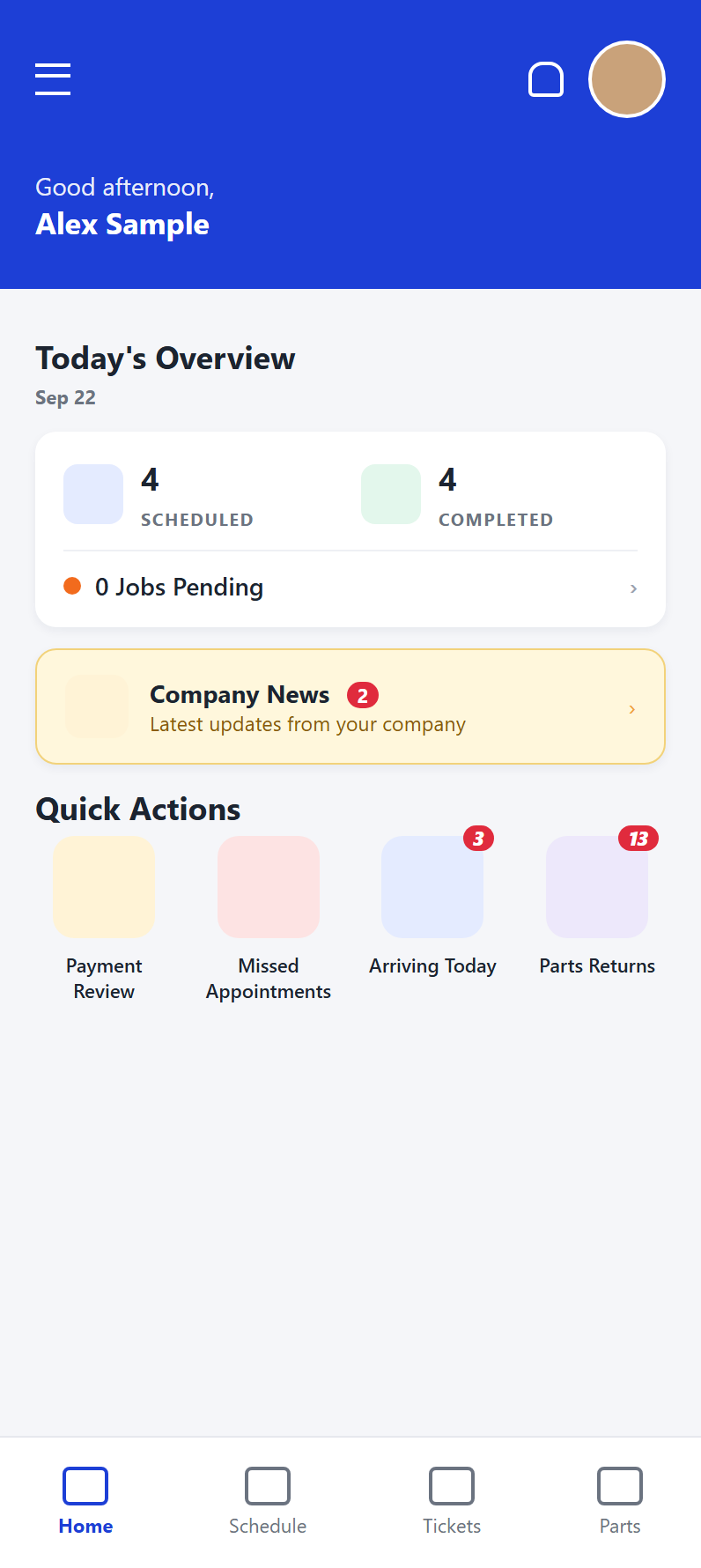
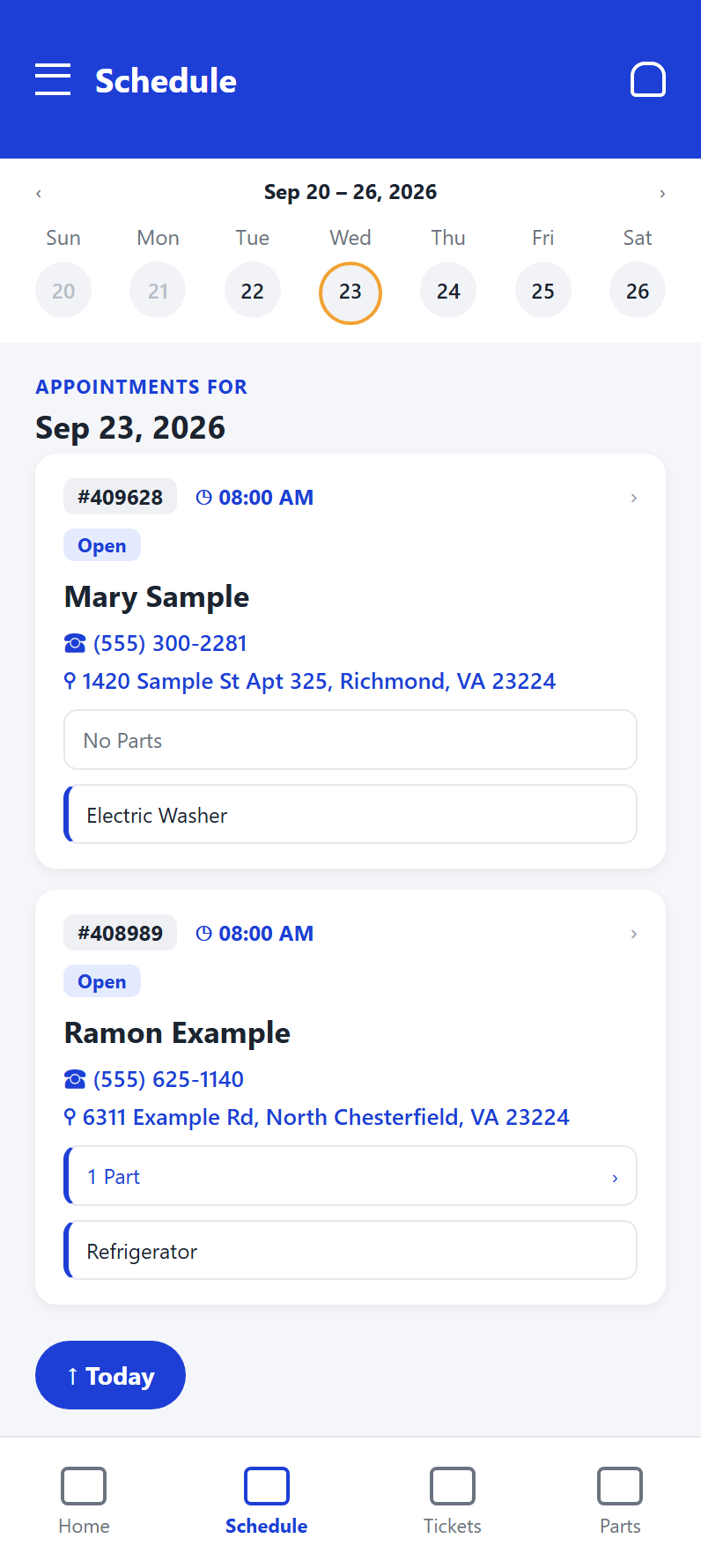
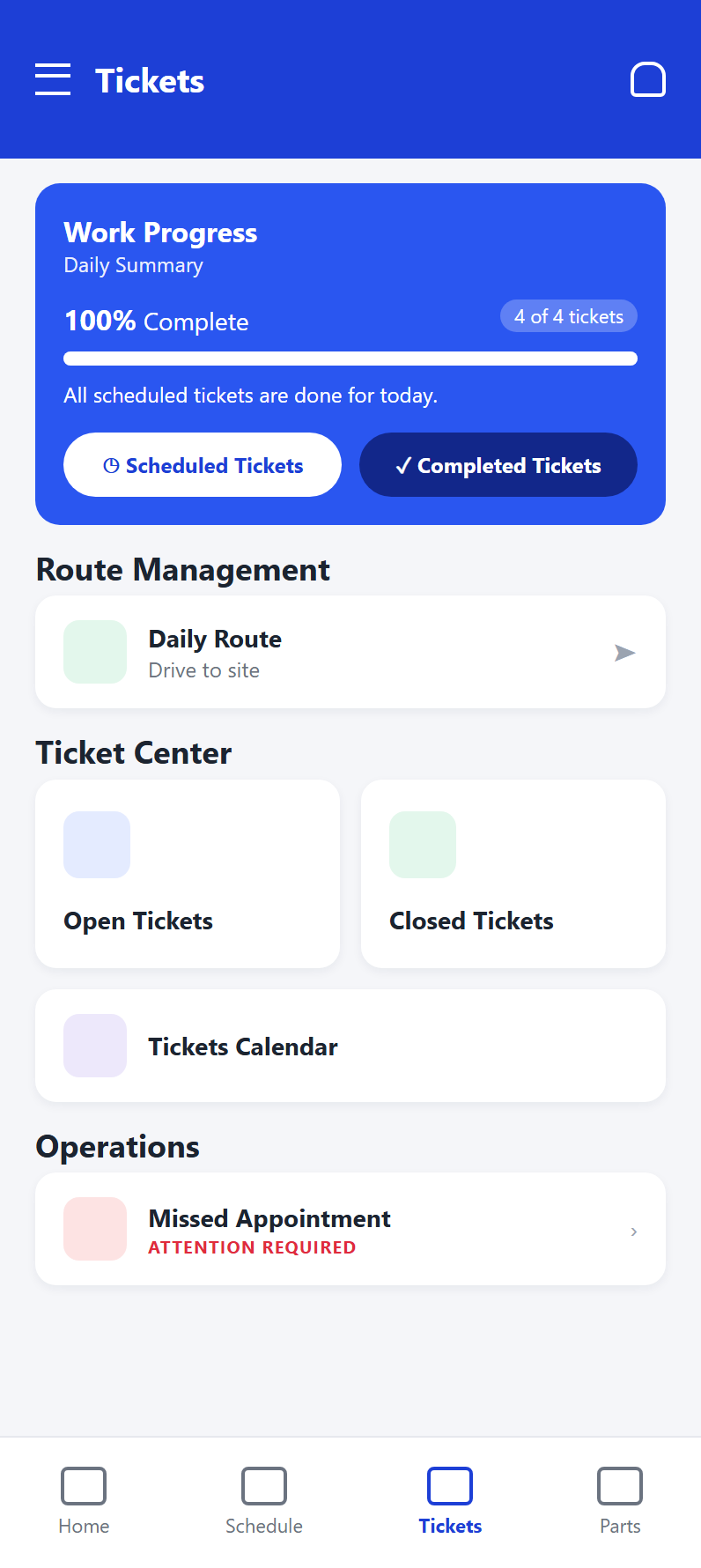
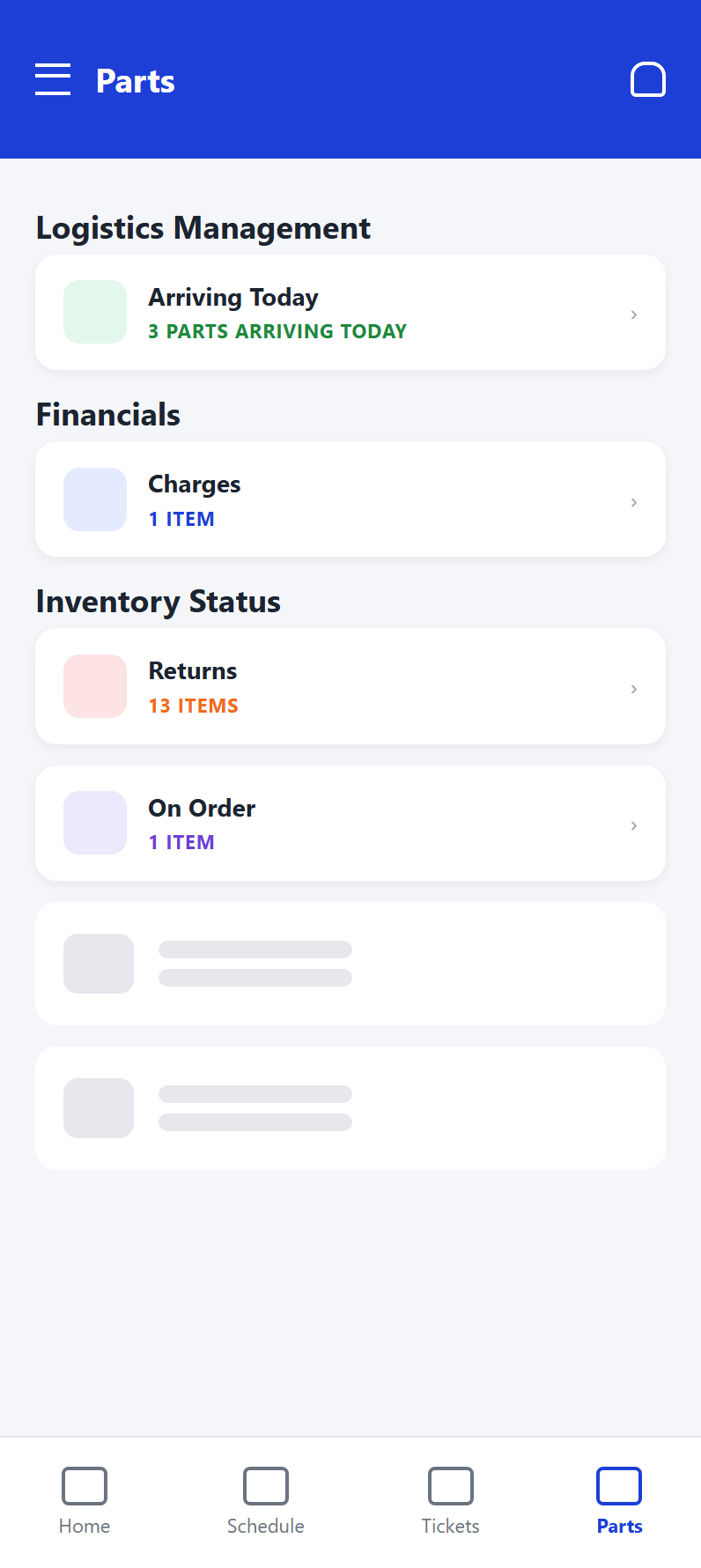
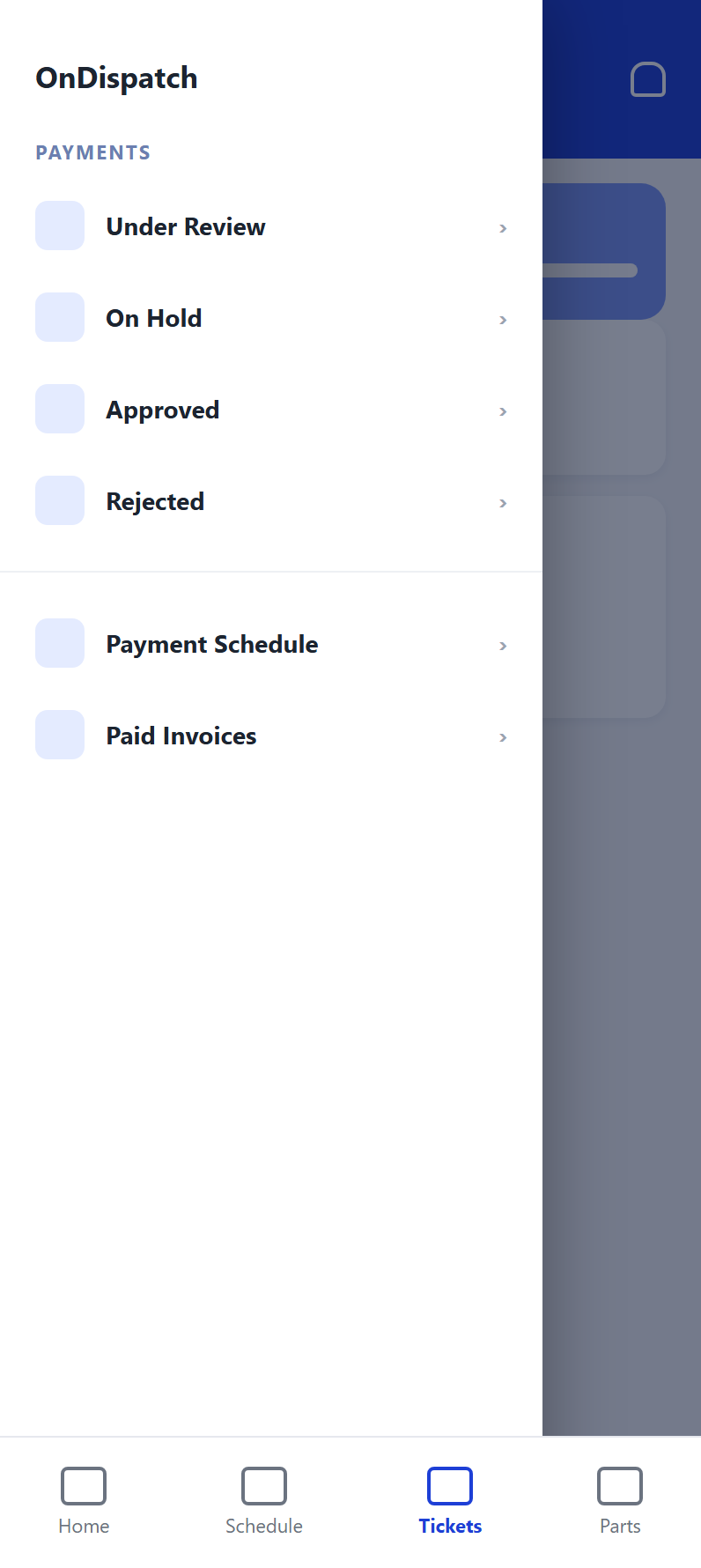
Product screens shown with sample data.
Parts
Every part tied to the repair it was bought for
Parts can quickly become one of the hardest areas of a service operation to control. OnDispatch tracks every part against the service call it was ordered for: from purchase through shipment, installation, return and supplier credit.
- What was ordered, from whom, at what cost, matched to the supplier's invoice.
- Look up, order and return parts at your distributor from the service call, with your own account. One parts distributor is connected today, in the United States.
- Shipments you can follow: to the customer's home, to the technician, and back, each with the courier's tracking number and link.
- Returns, RMAs and core charges, supplier credits, and charging a technician for a part that never came back.
Your clients
Give your clients visibility without giving up control
Manufacturers, warranty companies, retailers and other clients can submit service requests and follow their own work without calling your office for updates.
The client portal is available in English.
- Submit service requests directly to your company.
- Track their service calls, including status and appointments.
- Access documents and open invoices from one place.
AI surveys
Let an AI agent run your customer surveys
After a service call is completed, the AI survey agent phones the customer, asks your survey questions and records the answers on the service call, so your team sees how every job landed without making the calls.
Available as an add-on, priced separately. Contact us for details.
- Your questions, your script. Punctuality, knowledge, service, appearance, overall experience, recommendation, or the questions you define.
- Every call logged on the service call. Answers, result, tone, recording and transcript, with calls flagged for a supervisor when a customer is unhappy or the unit is not working.
- Runs on the calls you choose. Start surveys manually or by schedule, and review the results by agent, source and outcome.
Money
Know the financial position of every service call
Because billing and payouts originate from the service record, you can see what was invoiced, what was paid, and what is still owed, to you and by you.
- Invoice your clients for completed work, one service call at a time or grouped, as PDF.
- Record payments against invoices and see each client's balance and statement, with export to CSV.
- Track technician and subcontractor payouts: what each one is owed, and what has been paid.
- Supplier invoices, payments and credits for parts.
Reports
See what’s happening across your operation
Built-in operational reports turn the activity already recorded in OnDispatch into information your teams can act on.
Reports can be viewed in OnDispatch, printed or exported for further analysis.
- Service operations: open calls, aging, status, SLA performance and completion.
- Technicians: workload, productivity, coverage and service activity.
- Parts: orders, returns, outstanding parts, costs and credits.
- Financials: invoicing, receivables, payouts and supplier activity.
- Management: performance across clients, territories and departments.
Screens
The platform behind your entire service operation
Explore real OnDispatch screens showing how service calls, customer service, SLAs, technicians, recruiting, financials and team communication come together in one connected system.
Product screens shown with sample data.
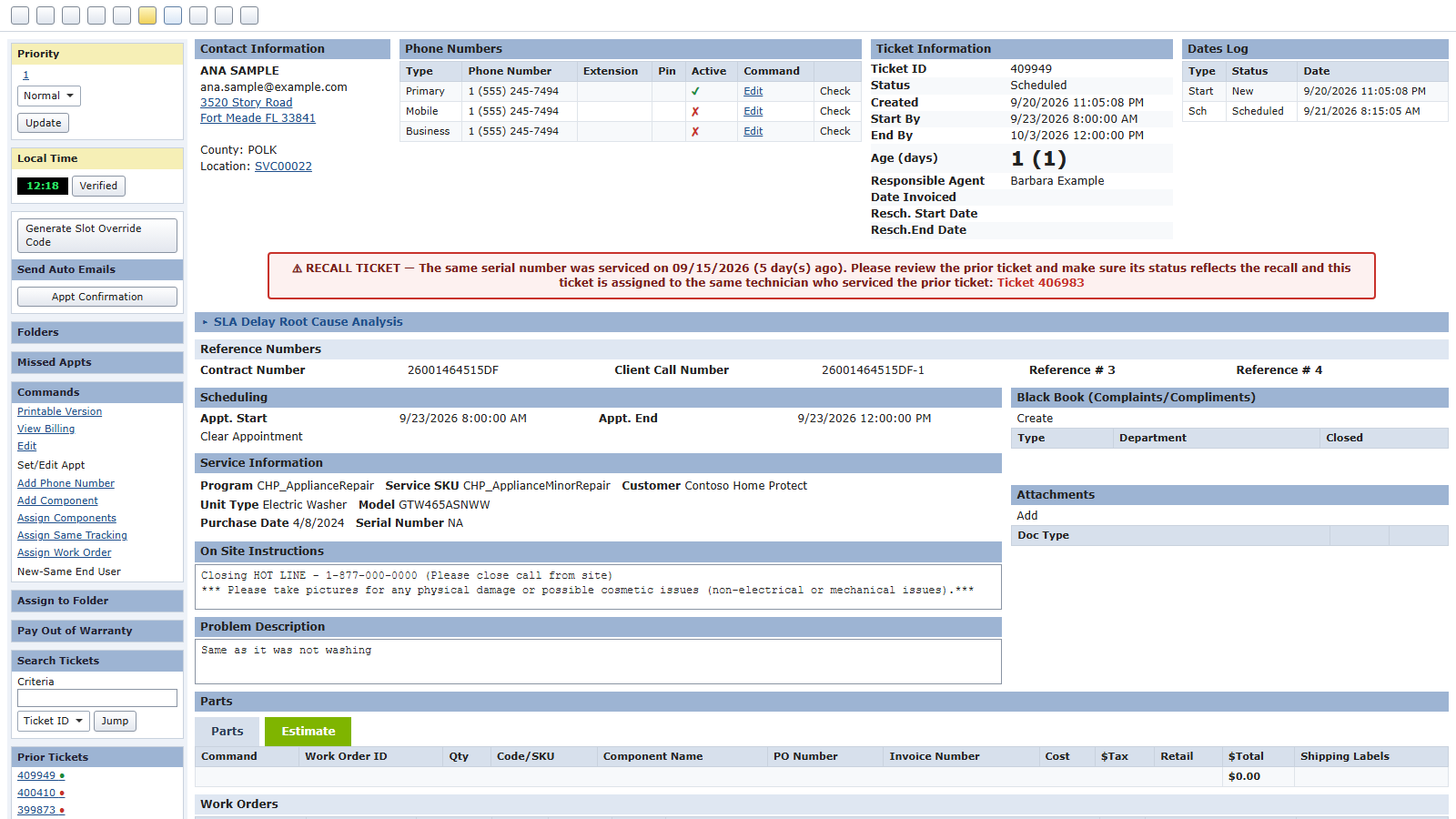
Service call management
Customer, equipment, appointments, SLA dates, parts, work orders and complete service history.
View full screen →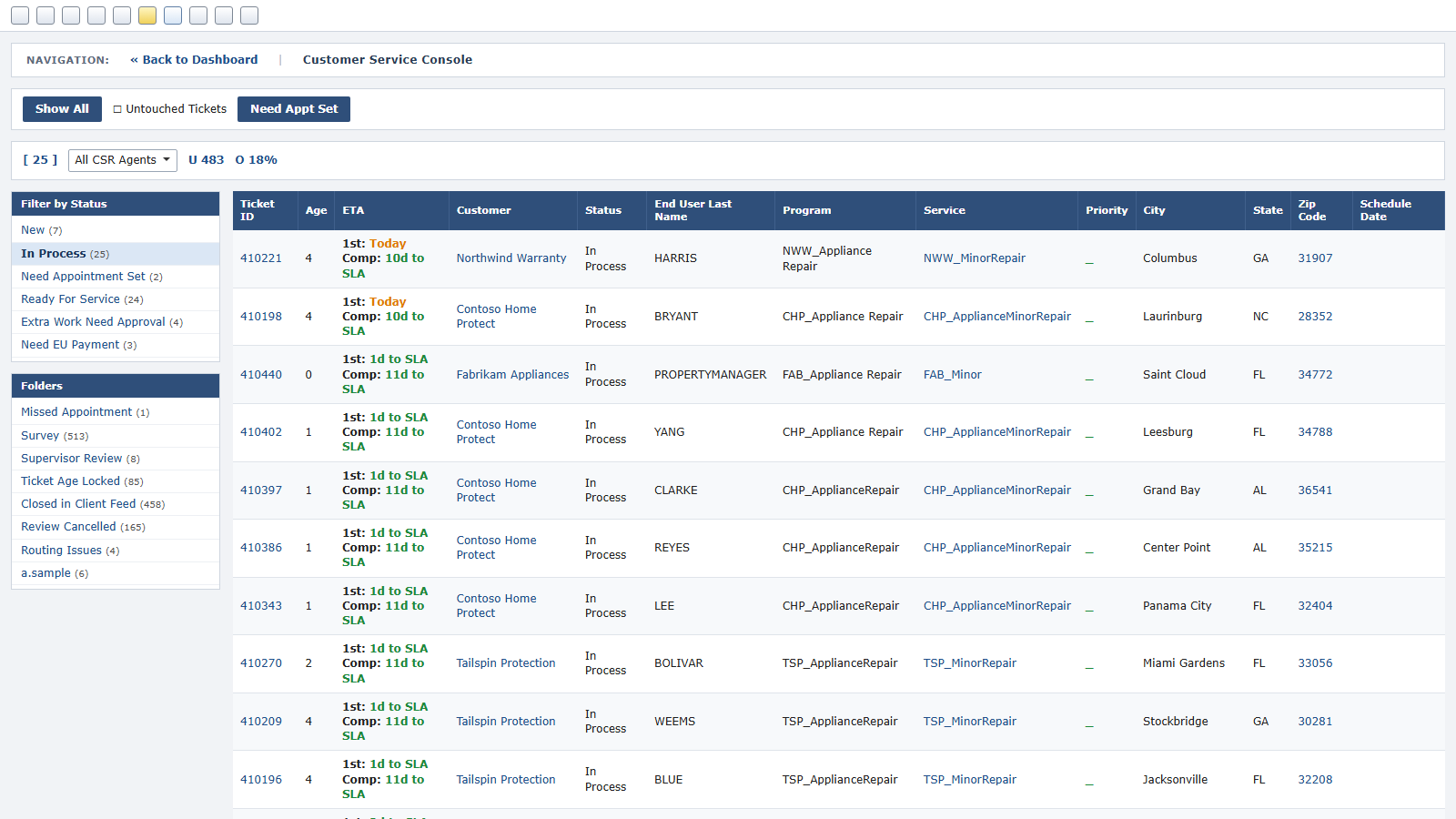
Customer service console
Every open service call with its SLA clock, by status, folder and agent.
View full screen →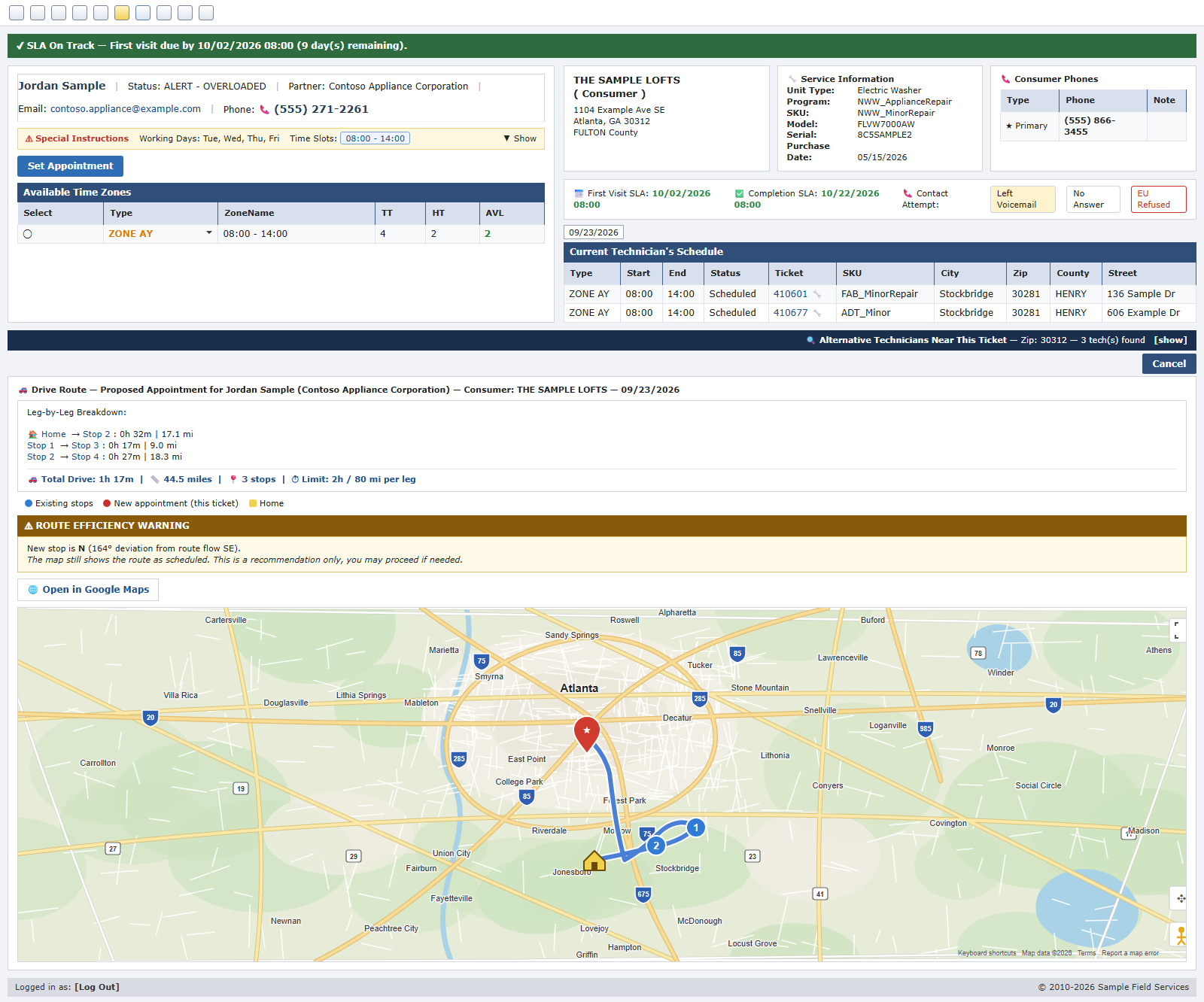
Scheduling with confidence
Appointment setting: the SLA clock, the technician’s day, the drive route checked leg by leg, alternative technicians nearby.
View full screen →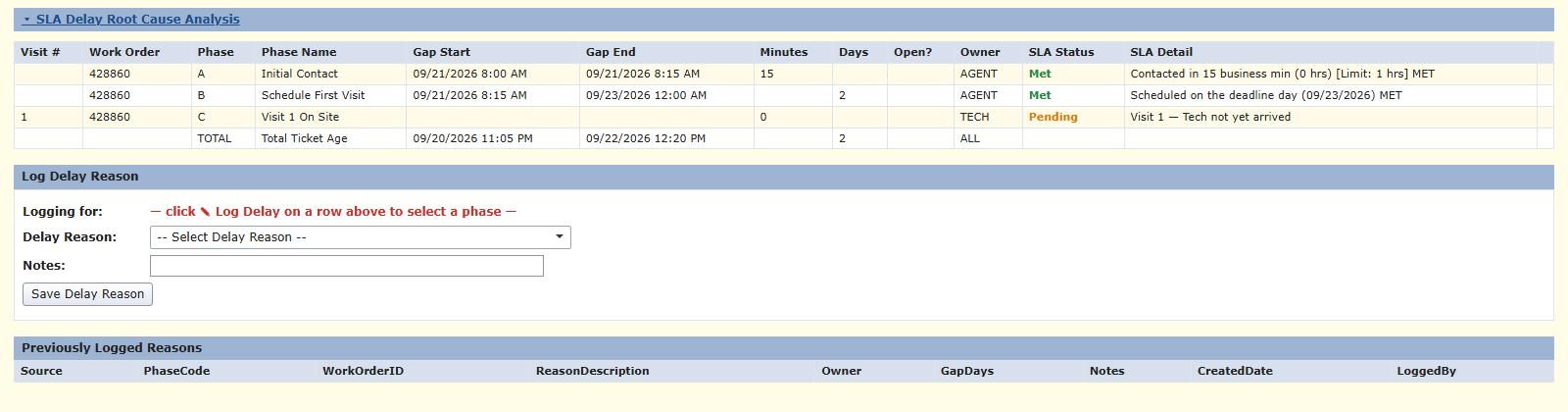
SLA analysis
Each phase of the contract met or pending, with the reason for any delay.
View full screen →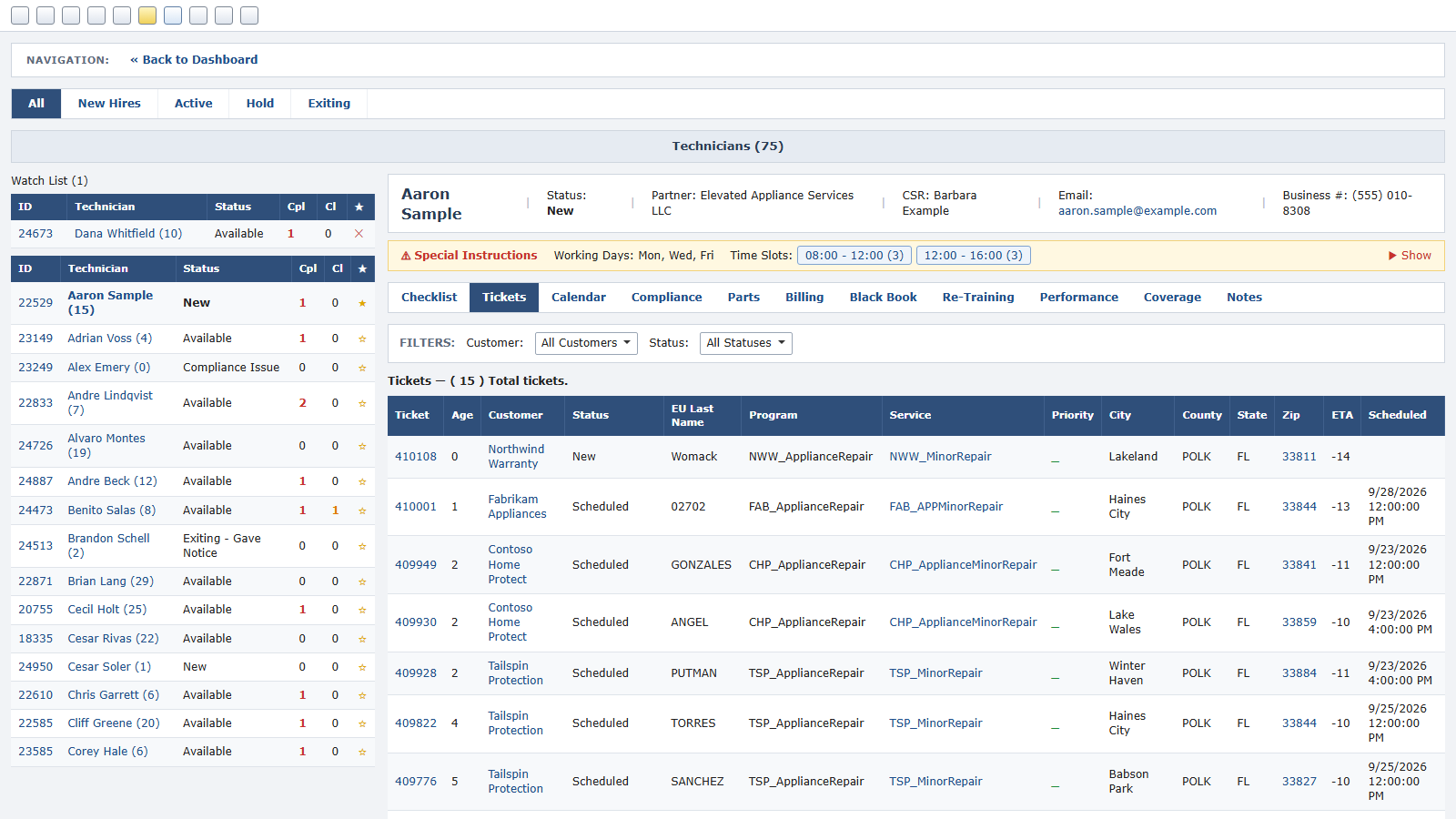
Technician management
Status, service calls, calendar, compliance, parts and billing per technician.
View full screen →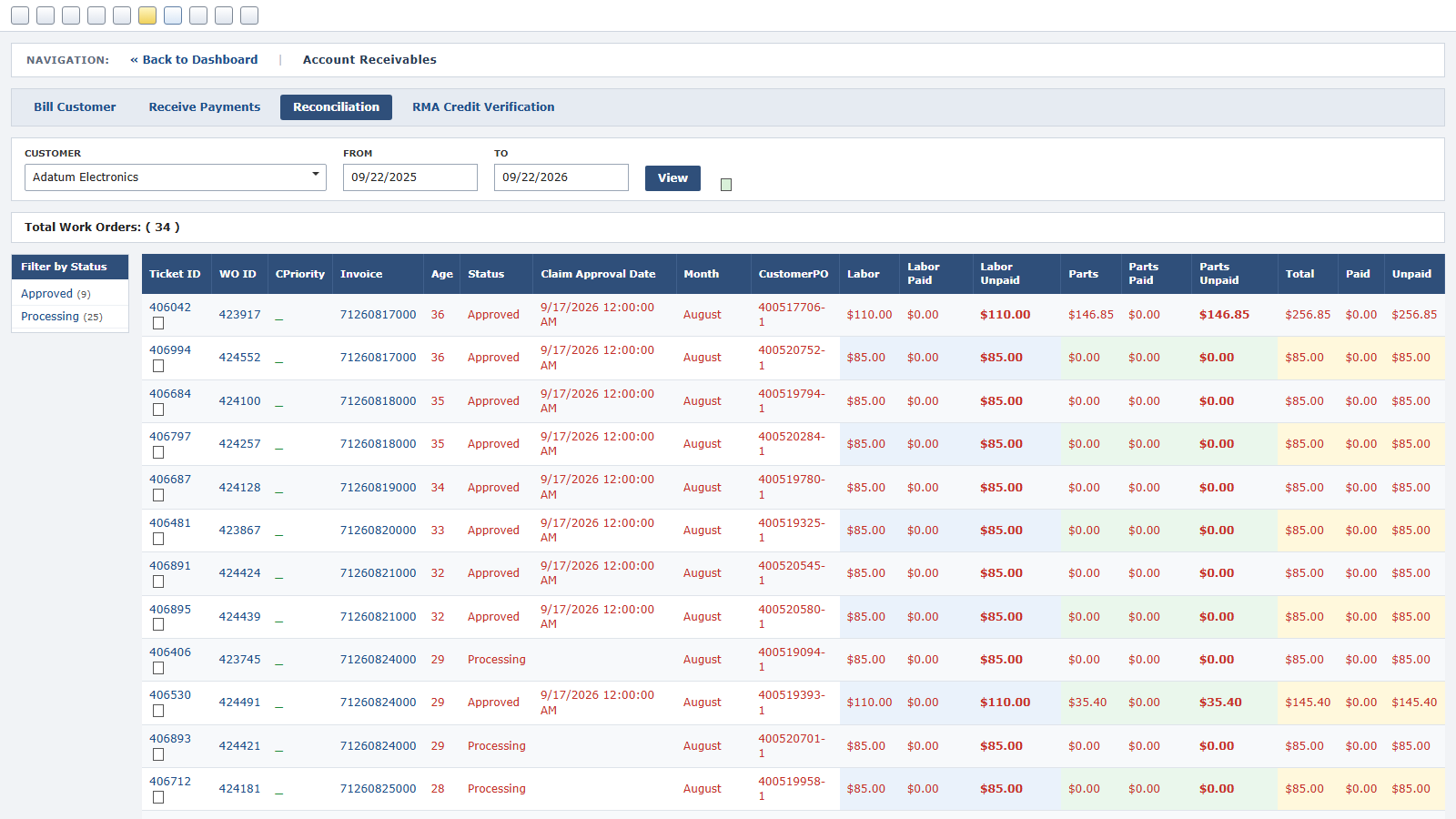
Accounts receivable
Labor and parts billed, paid and unpaid, per client and work order.
View full screen →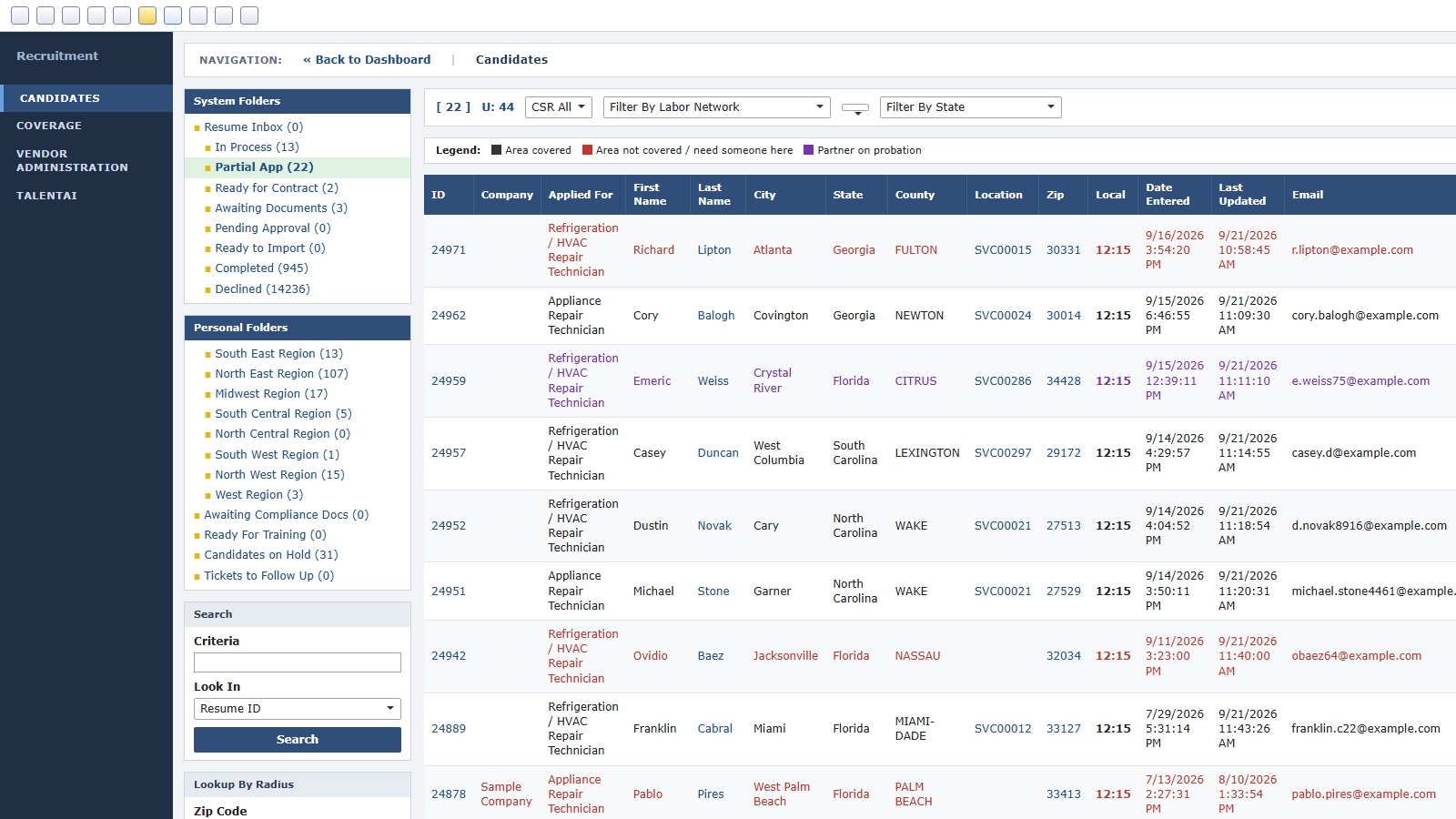
Recruiting
Candidates by region and stage, with coverage gaps marked where you need someone.
View full screen →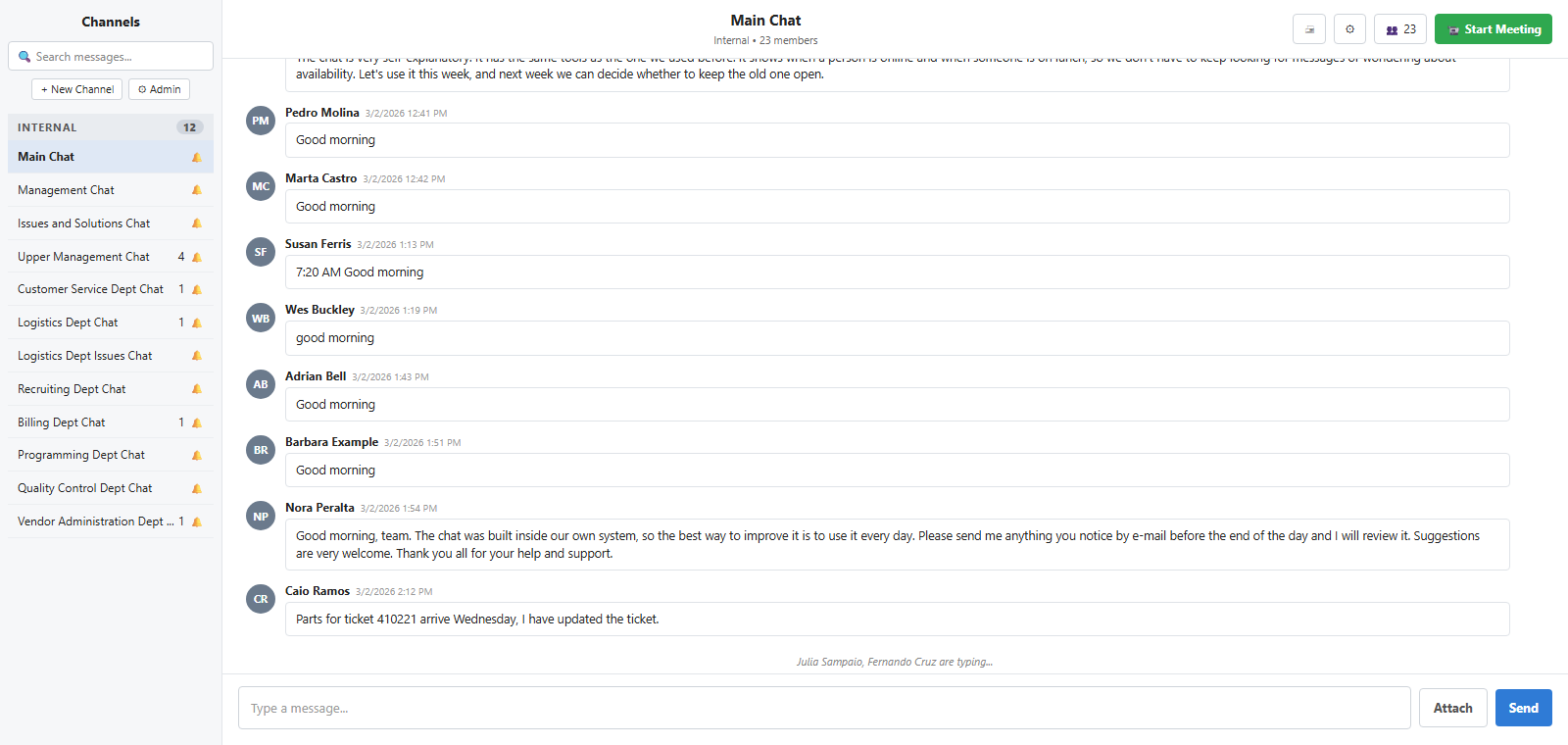
Team chat
Channels per department, attachments and presence, with a meeting one click away.
View full screen →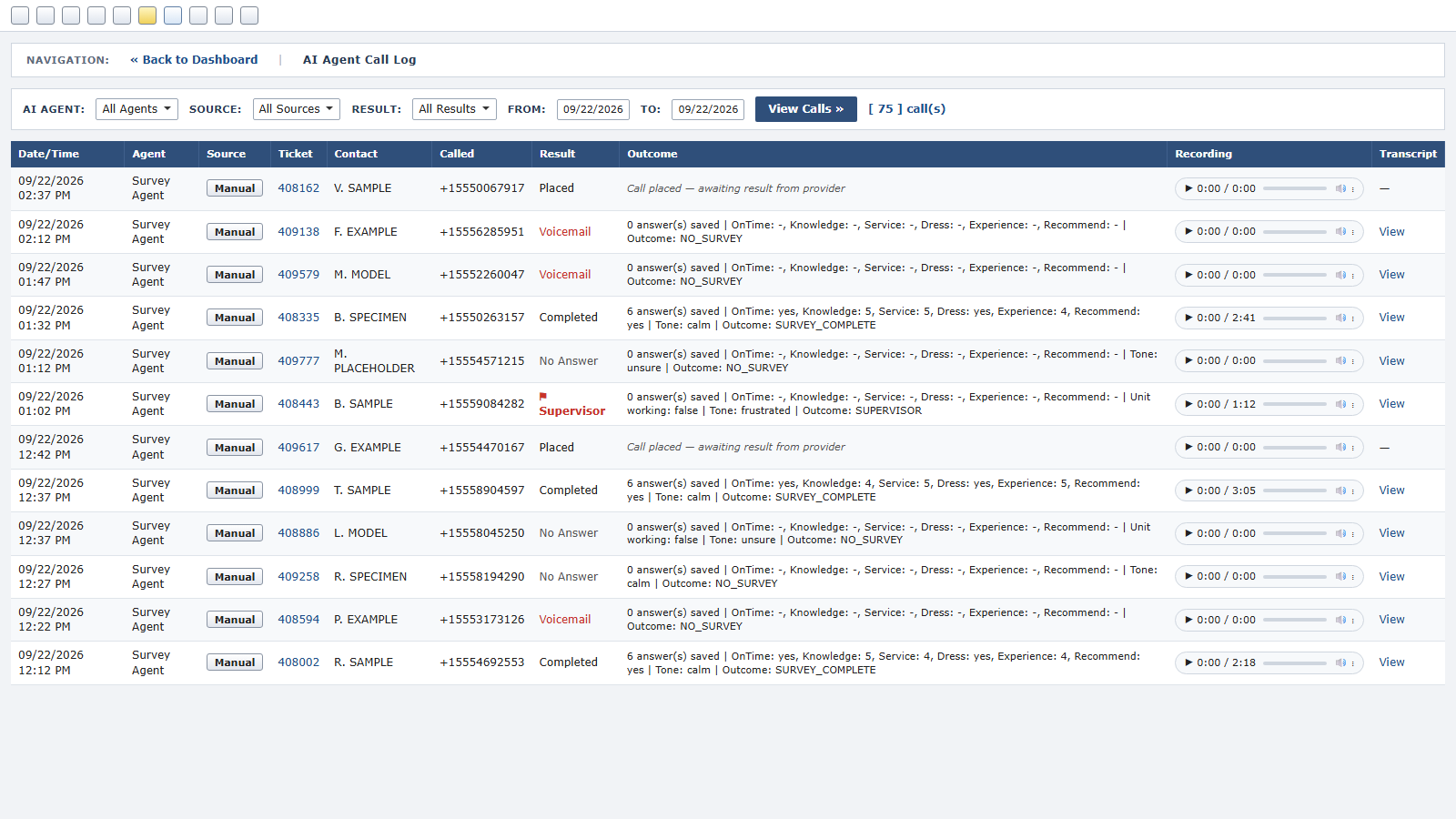
AI survey agent
The call log: result, answers, tone and outcome per call, with the recording and transcript.
View full screen →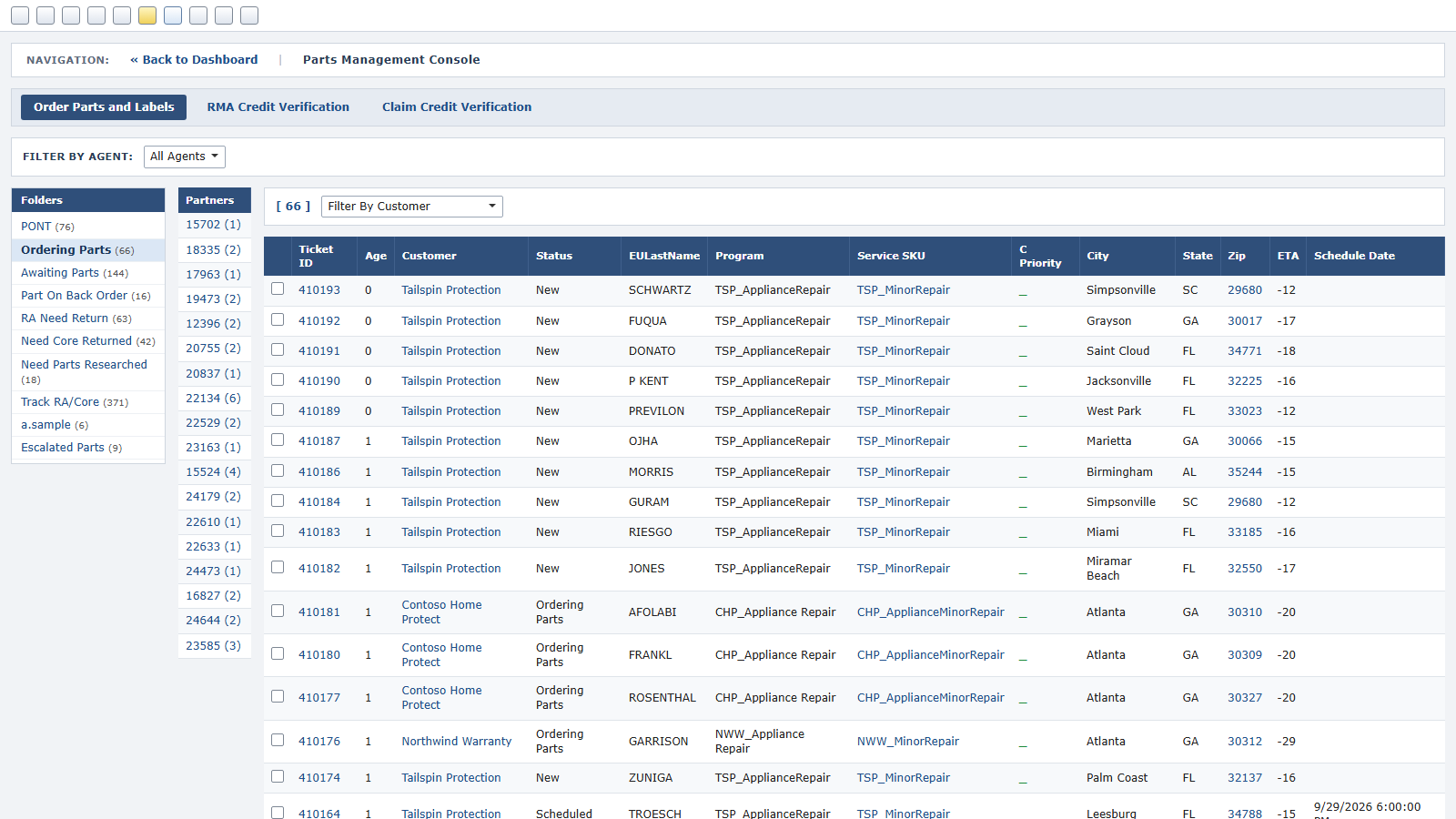
Parts management console
Service calls by parts stage: ordering, awaiting, back order, returns to make, cores to return, tracked RAs.
View full screen →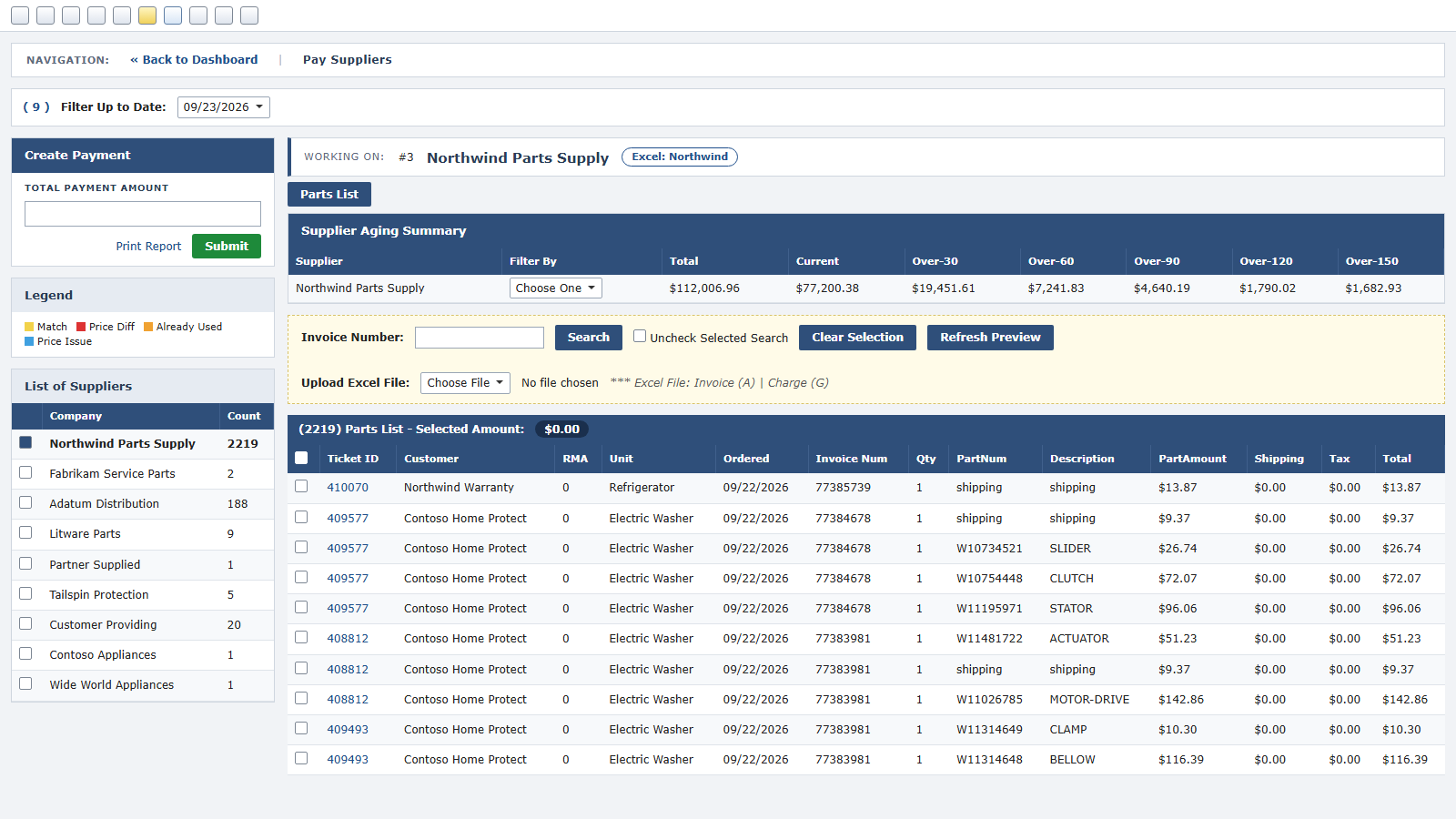
Pay suppliers
Each supplier’s open parts invoices with ageing, matched to the service calls the parts were ordered for.
View full screen →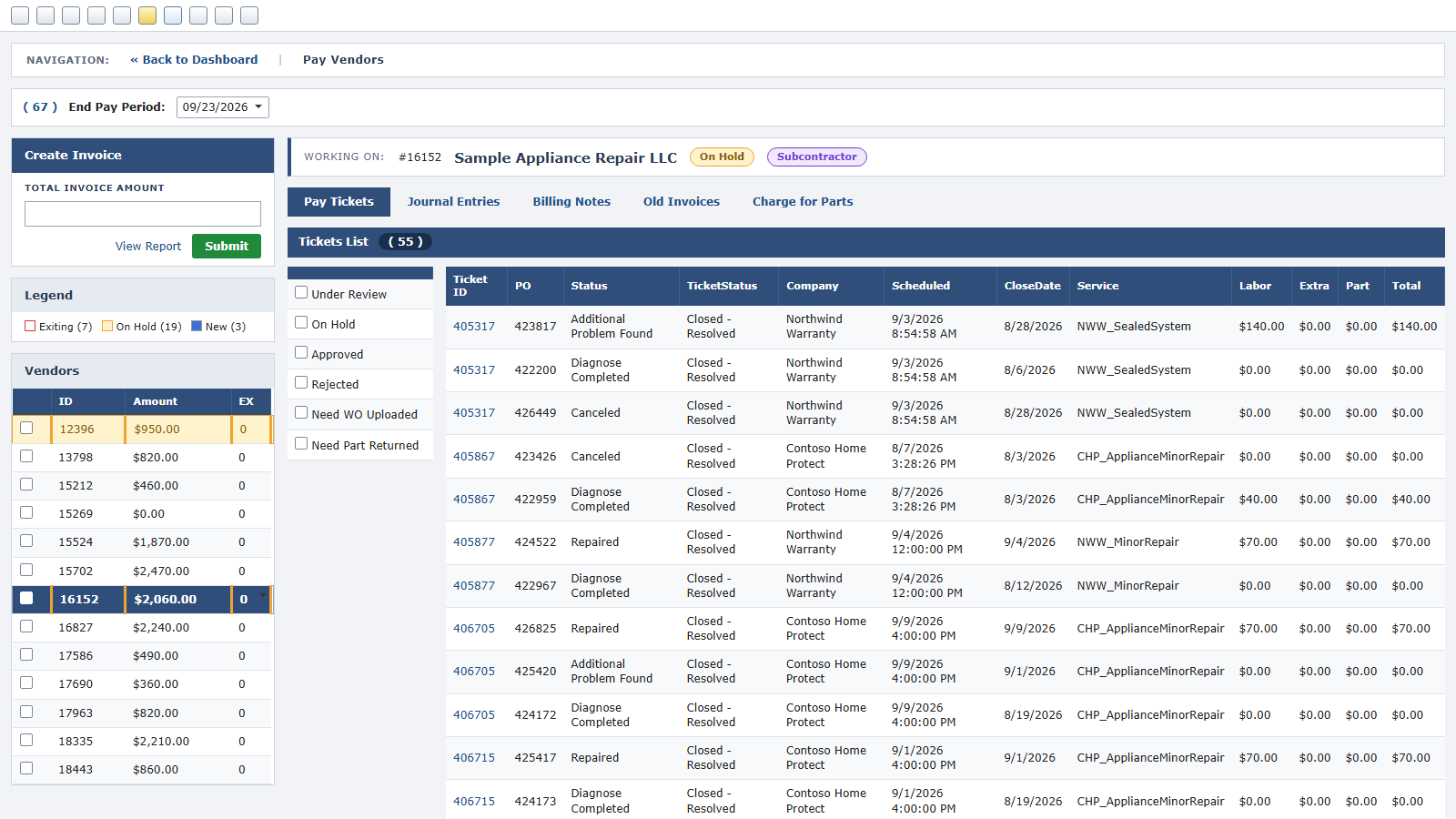
Pay subcontractors
What each subcontractor is owed per service call, by status, with the pay period closed into an invoice.
View full screen →Want to see it with your own work in it?
Start a free trial and see how OnDispatch works with your own service operation.